RESPONSIBILITY
Habits That Hold — Without the Nagging
Build the routine once, on a Sunday. Your child owns it from there: each step tapped done, the streak alive, and the app doing the reminding you used to do.
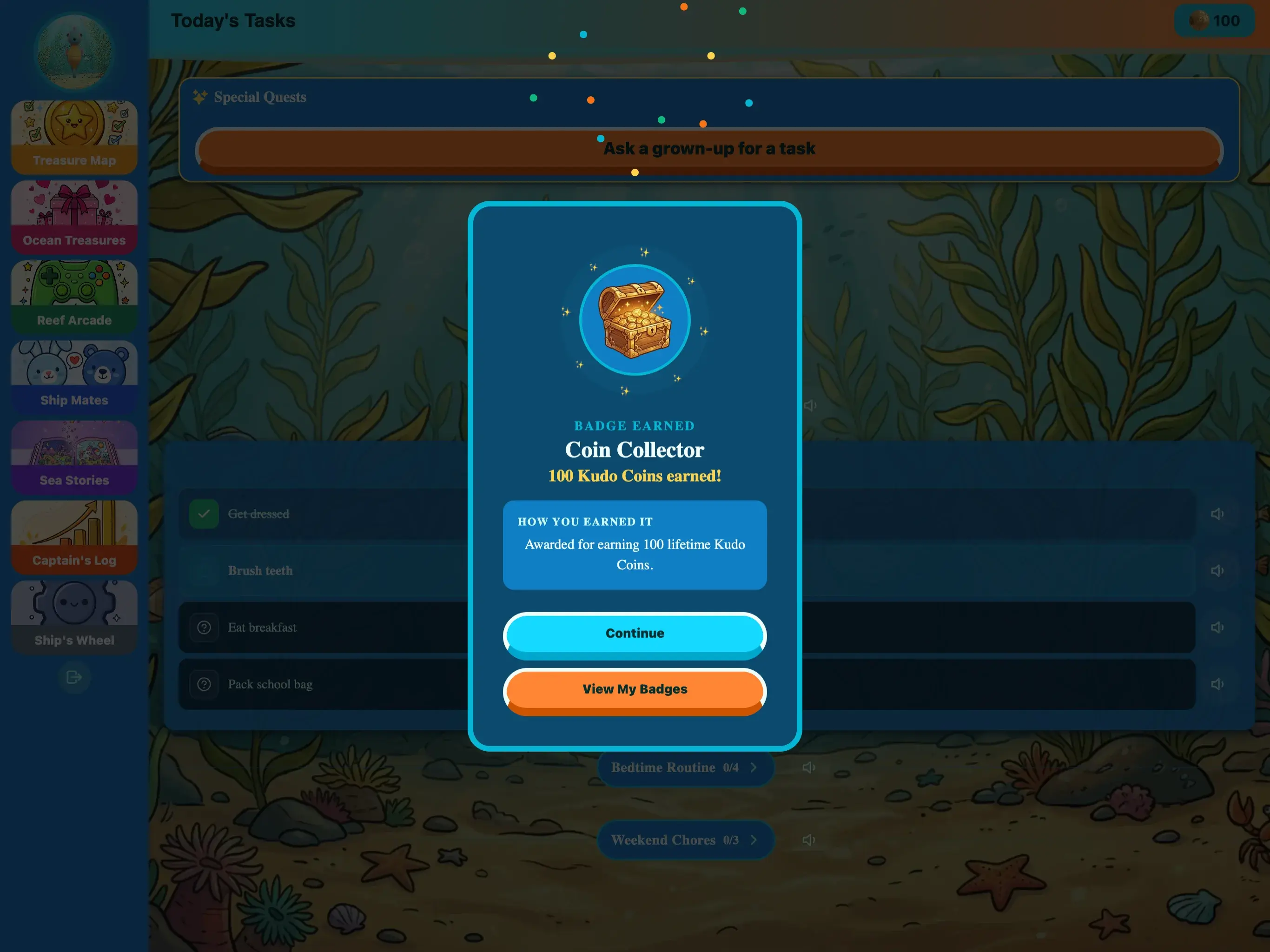
Build the routine once, on a Sunday. Your child owns it from there: each step tapped done, the streak alive, and the app doing the reminding you used to do.
A chore chart depends on an adult remembering to run it. A routine your child owns, with a visible streak and a parent who confirms rather than chases, keeps running on the days you're not on top of it.
Group the day into named routines — Morning Routine, After School, Bedtime — each holding the tasks your child works through. Tasks can carry a checklist of sub-steps so a job is done right, not just marked done. Pick the days each routine runs. Build it once; it repeats on its own.
Every task tracks mastery through three levels. New ones start at Learning, where each completion gets the full celebration. After 7 consistent completions KudoKids suggests moving it to Proficient and Quick Complete unlocks. After 40 it can reach Mastered — the habit is theirs, and the fanfare quiets on purpose. You always decide when to upgrade.
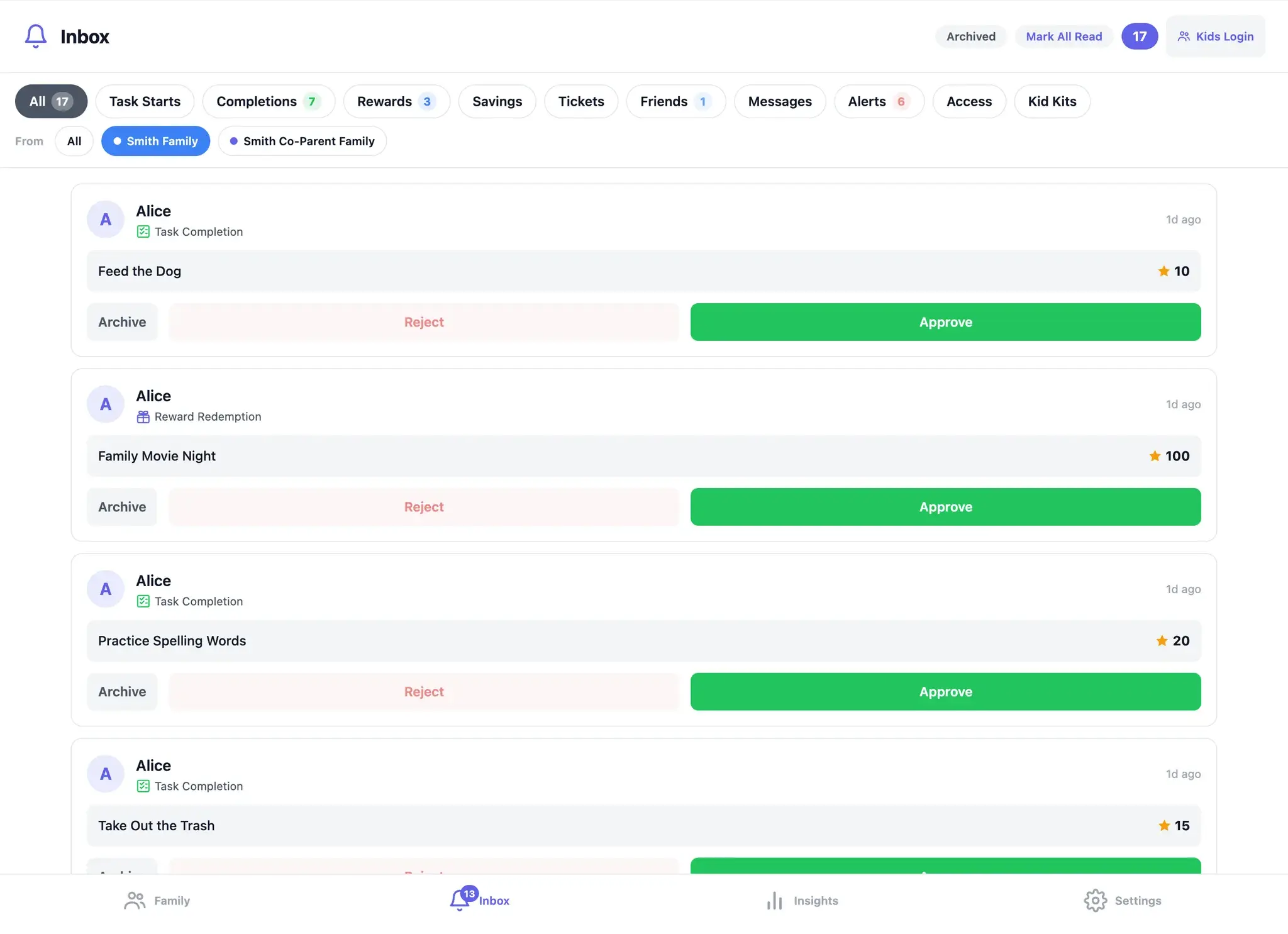
Routines and tasks pay out when they're done, and you choose which tasks and rewards need your OK first. Turn approval on for a routine and, once it's finished, it lands in your Inbox: one tap confirms it, one tap sends it back and nothing is credited. Follow-through is still yours to define — you're just not chasing it.
Sunday evening, Maya’s dad builds one routine and calls it Morning Routine. Six tasks: brush teeth, get dressed, make bed, eat breakfast, pack backpack, read for 15 minutes. Brush teeth gets a checklist — brush for two minutes, rinse, replace the cap — because that’s the one she rushes. He sets it to run Monday through Friday. Setup takes about ten minutes, and he never touches it again.
Monday, Maya opens her Mission Log and works down the list, tapping each step as she finishes it. Every completion lands in her dad’s Inbox. He confirms them over coffee — one tap each — and the day’s streak is secured because she finished the whole routine.
Wednesday she skips reading. Nothing dramatic happens: the routine sits at five of six, the streak doesn’t secure, and she notices without anyone pointing it out. Thursday she reads before her dad has said a word about it.
By the middle of week two, make bed and pack backpack have each hit seven completions, and KudoKids suggests moving them to Proficient. Her dad agrees, and Quick Complete unlocks — the steps she has clearly got are now one tap instead of a small ceremony. The celebration stays on the tasks she’s still learning.
What changed at home is smaller than it sounds and harder to get any other way: the list is hers, the reminding is the app’s, and her dad’s part of the morning is a thirty-second look at his Inbox.
The chart on the fridge tends to quit for the same few reasons — here’s why chore charts stop working after a few weeks.
Organize your family's day with routines — named groups of tasks like “Morning Routine” or “After School.” Each routine contains the individual tasks your child works through, and each task can have a checklist of sub-steps to make sure it's done right (e.g., “Brush teeth” → Brush for 2 minutes, Rinse, Replace cap). You can also add one-time bonus tasks for special goals like finishing a book report or helping a neighbor. Set the days each routine runs, put a Kudo Coin value on each task, and reorder the list by dragging. Every family runs differently, and KudoKids adapts to yours.
Not sure what each kid can take on yet? Start from chores by age, from 3 to 12.
Younger kids can walk any multi-step routine as a Journey view — a treasure-map path where each step is a circle, only the next one glows, and skipping ahead isn't possible. Same routine, same checklist underneath; just a shape a five-year-old can follow.
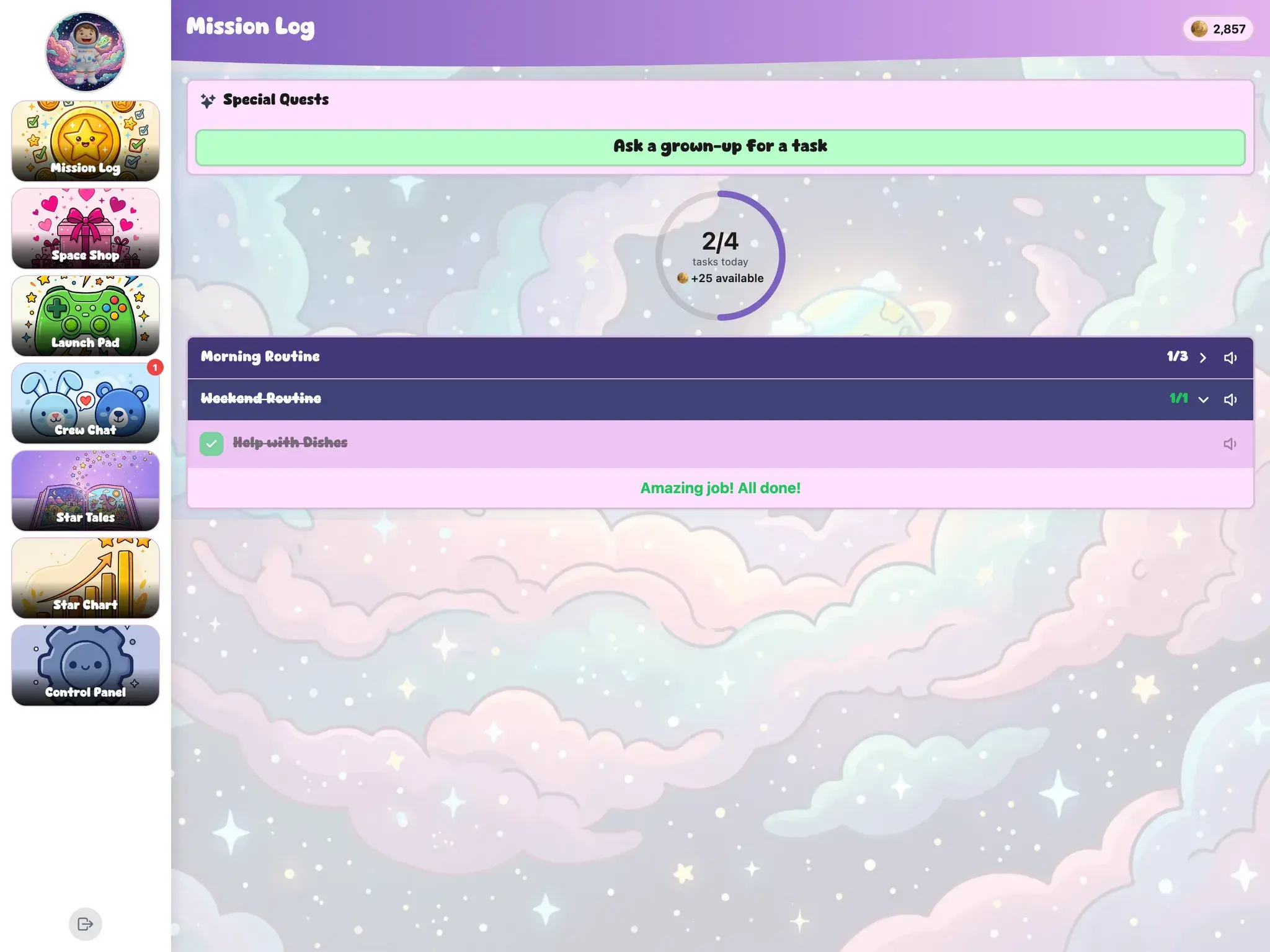
Some things don't happen on a schedule — getting out the door, bathroom steps, washing hands. Mark any quick task as available anytime and it becomes a repeatable step-by-step guide your child can launch as often as they need. Coins pay out for the first run each day (you can allow up to five), and after that the guide keeps working — it just stops paying. Optional per-step timers auto-advance the guide, so a handwashing step can hold for the twenty seconds it's supposed to take.
And there's dignity built in: completions of self-care guides like bathroom steps and handwashing never appear in leaderboards, sibling views, or the weekly summary. They're logged for you, and nobody else.
You choose which tasks and rewards need your OK first. Turn approval on for a routine and, when your child marks it complete, it lands in your Inbox. One tap to confirm. One tap to send back. Quick-approve banners highlight pending items so nothing gets buried, and when the queue stacks up you can select all and clear it at once. You stay in the loop without being a bottleneck.
Everything else pays out on its own, so keep the check on the jobs you're still teaching and let the ones you already trust run. The point isn't to inspect your child — it's that “done” stays a word the two of you agree on rather than one they can claim on their own.
Every task your child performs tracks mastery through three levels. New tasks start at Learning, where every completion gets the full celebration. After 7 consistent completions, KudoKids suggests upgrading to Proficient — and one-tap Quick Complete unlocks. After 40, the task can reach Mastered: the habit is theirs, and the fanfare quiets down on purpose. Parents always decide when to upgrade — the app only suggests.
Learning
Building It
The first 7 completions. Full celebrations while the habit takes root.
Proficient
One Tap
After 7 completions. Quick Complete unlocks — checking off an established habit takes a second.
Mastered
Theirs Now
After 40 completions. The habit runs on its own, and the app steps back.
Consistency is the hardest part of any habit. Streaks give your child a visible reason to show up every day. The day your child secures their streak — finishing every routine for that day — they earn a bonus that scales with how long they've kept it going: +1 coin on day 1, +2 from day 3, +3 from day 7, then +4, +5, +7, and +10 as they cross 14, 30, 100, and 365 days. Milestone celebrations with themed animations fire at 3, 7, 14, 30, 60, 100, and 365 days.
Going on a trip? Vacation Mode pauses the whole family. Streaks freeze (not break), task reminders go silent, and you can set an optional auto-resume date. Coins and history are fully preserved. No guilt, no lost progress.
Your child's progress isn't hidden in a parent dashboard — they can see it too. A streak hero card shows their current and best streak with a companion animation. A 7-day completion calendar shows recent consistency. A stats grid tracks tasks completed, rewards redeemed, and best streak. And badges land on their own the moment they're earned — no claim button, just a celebration — collected on a shelf your child can browse, with a kid-friendly hint on every badge they haven't earned yet. Follow-through stops being something you assess and becomes something they can check for themselves.
Finished tasks pay out in Kudo Coins at the values you set — and what a child does with those coins turns into its own lesson: what to buy now, what to wait for, what a thing is actually worth in days of effort. That half has its own page: money sense.
Shaped by Practitioners
The routine and mastery design follows how habits are actually built — repetition, visible progress, and celebration that steps back once the habit holds. KudoKids has been shaped by working with child-development experts. These practitioners have not endorsed KudoKids; our design is informed by their input, not validated by it.
Learn about our approach →
Build the routine once. Your child runs it, the app does the reminding, and you confirm what counts.
No credit card required. Set up in five minutes.