KudoKids A brief for parents · Spring 2026
i

One safe digital world
your kid loves
and you actually trust.

KudoKids is one place where ages 3–12 do their routines, check in on feelings, listen to stories, and play — instead of bouncing between a dozen apps that fight for their attention. Free to start.

Ages 3–12 Download on the App Store Get it on Google Play
For parents who already heard about KudoKids  ·  kudokids.org
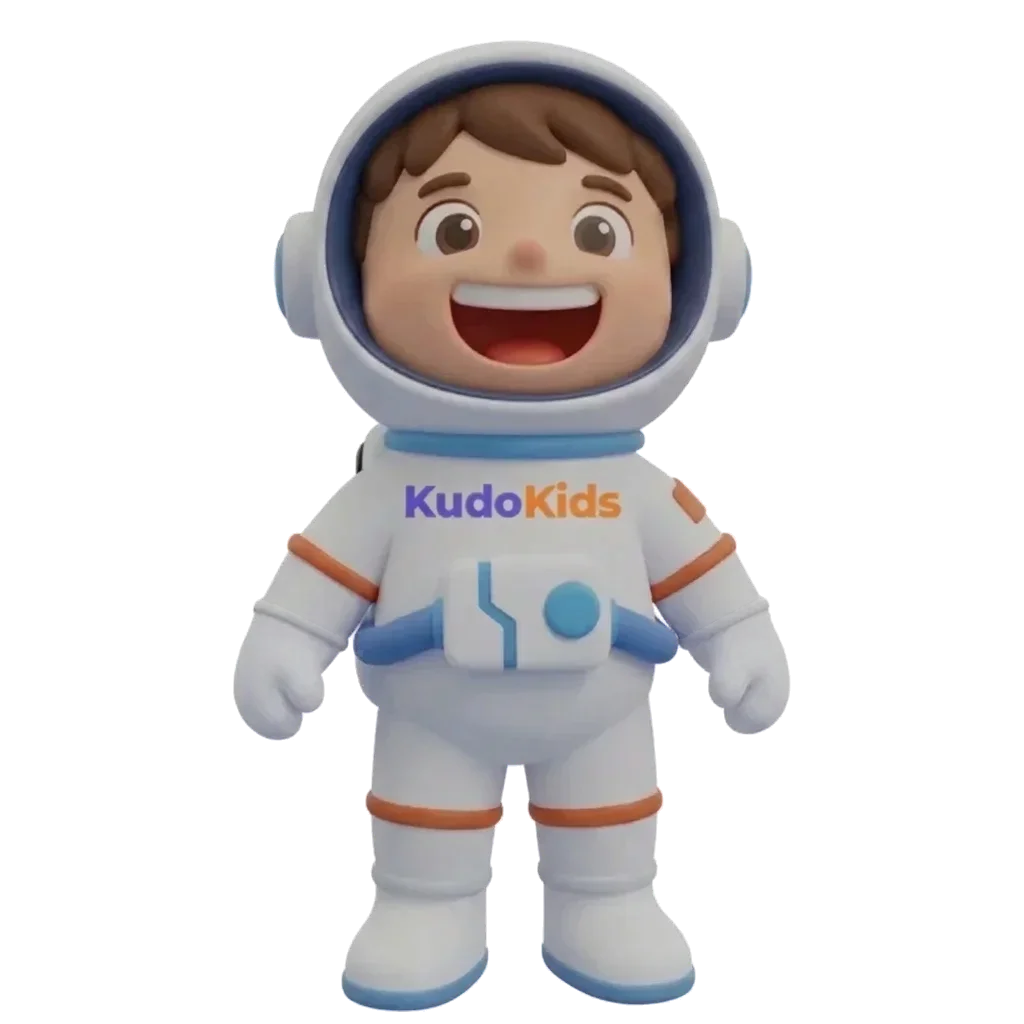
Cosmo, the free starter companion
Cosmo · the free companion
§ I The short version
02
What KudoKids actually is

One world. One place. One subscription, or none.

A grown-up sets up the routines, tasks, and the rewards. Kids earn Kudo Coins when they finish things — brushing teeth, homework, putting their plate away — and spend them on screen time, stories, companion customizations, or real-world rewards you defined.

01 · The kid side

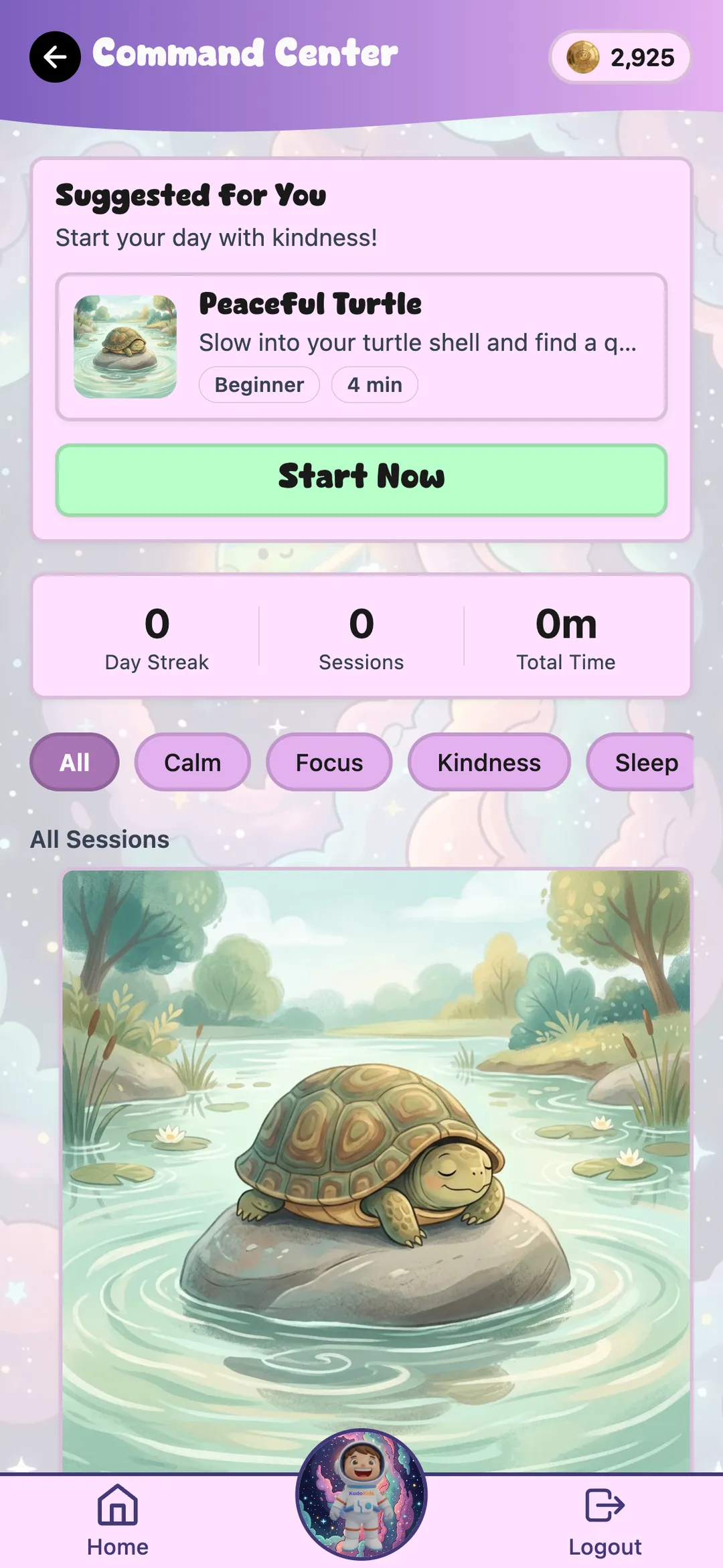
Routines, mood check-ins, stories, games, meditation, music, and a 3D companion they can place into the room with AR.

02 · The parent side

Approval queue, weekly view, per-child feature toggles, optional co-parent access, and a calm dashboard — not a feed.

03 · The price

Free covers the entire wellness, routine, and story experience. $5.99/mo Premium unlocks 19 extra companions and customization.

KudoKids · parent brief 02 / 16
§ II A normal afternoon, in-app
03
What your kid actually does

Earn. Spend. Rest. Repeat.

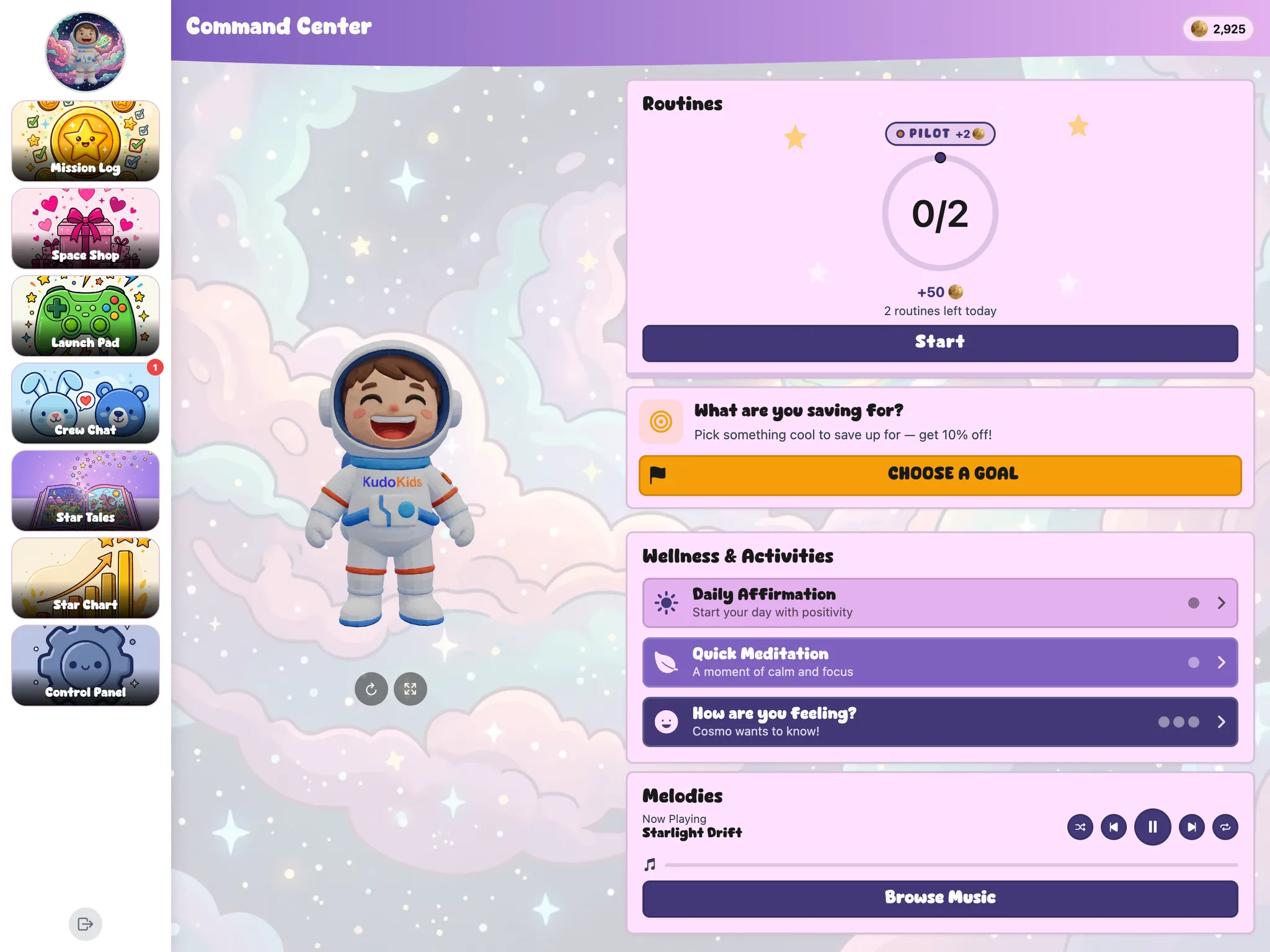
Their home screen shows their companion, their Kudo Coin balance, and the things they're working on today. Routines show as friendly steps. Stories, games, and meditation are one tap from anywhere — and they cost coins to spend, so kids learn to choose.

01 · Routines
Routines screen
02 · Meditation
Meditations screen
03 · Mood
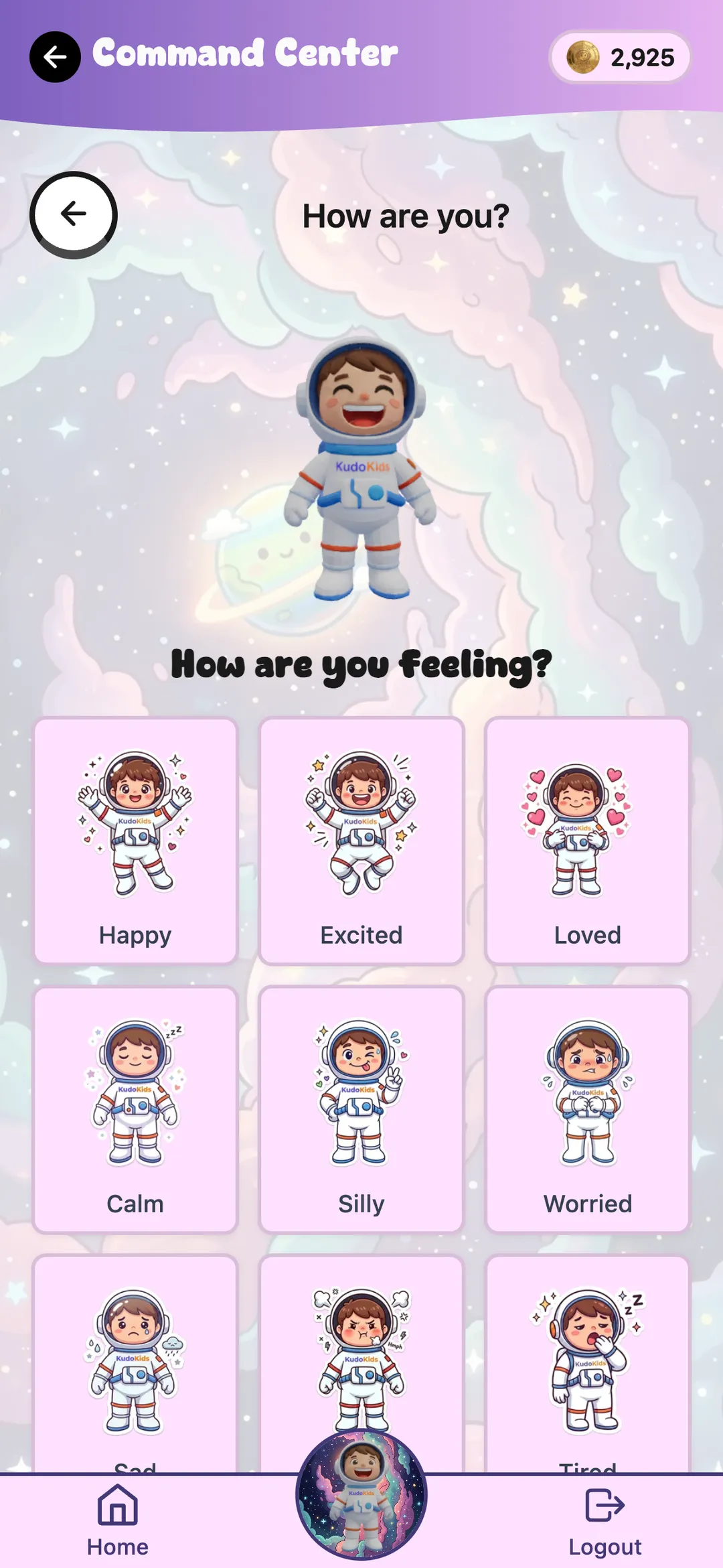
Mood check-in screen
KudoKids child home screen — companion, Kudo Coins balance, routines

The home screen adapts to age. Younger kids see large icon-only tiles; older kids see text and analytics. You can override the age group from the parent app at any time.

KudoKids · parent brief 03 / 16
§ III The part we care about most
04
Mood check-ins · the bridge-to-parent moment

When something's hard, the app brings it to you.

The companion is not the therapist. The companion is a bridge. Every step preserves the kid's autonomy. You are the resolution layer — never an AI.

i
Kid picks a feeling Happy · excited · loved · worried · scared · angry · sad
ii
Companion reflects it "Some days are harder than others." Kid earns Kudo Coins for naming the feeling.
iii
"Want to talk?" Pre-set list: school, friends, family, just feel this way, don't want to say.
iv
"Tell a grown-up?" Yes → you get notified. No → no notification. Your kid controls the bridge.
v
"What now?" Breathing · meditation · music · story · just stay here. Companion offers; kid picks.
Why this matters
  • Hard feelings catch a soft landing — not a quiz.
  • The kid decides if you're told. Trust builds because the app keeps that promise.
  • When the bridge fires, you get context — not a vague alert.
What it is not

Not therapy. Not a diagnosis. Not a substitute for a clinician. KudoKids is a tool that helps name what's hard and route it to the right grown-up — sometimes that's you, sometimes that's someone else.

KudoKids · parent brief 04 / 16
§ IV The cast
05
Companions

Twenty companions. Seven worlds. One free.

Every kid starts with Cosmo. The other 19 unlock with Kudo Coins once you've subscribed to Premium — kids don't just get them, they earn them.

Every companion has its own voice across the whole app — routines, affirmations, meditation, stories, mood check-ins. Roughly 1,000 lines of dialogue each, all recorded by humans and reviewed before they ship.

Augmented reality lets kids place the companion into the room and take a photo. Camera frames stay on-device — nothing is transmitted.

Cosmo
Cosmo · free
Reto
Reto
Roto
Roto
Splash
Splash
Cara
Cara
Mari
Mari
Mango
Mango
Corky
Corky
Luca
Luca
Tim
Tim
Zane
Zane
Gummy
Gummy
Stella
Stella
Rex
Rex
Flamer
Flamer
Sparkle
Sparkle
Leslie
Leslie
Gunter
Gunter
Chloe
Chloe
Lyla
Lyla

Space · Ocean · Jungle · Candy · Dino · Princess · Arctic

KudoKids · parent brief 05 / 16
§ V Stories, music, sleep
06
Stories · music · sleep sounds

The rest of the day — covered.

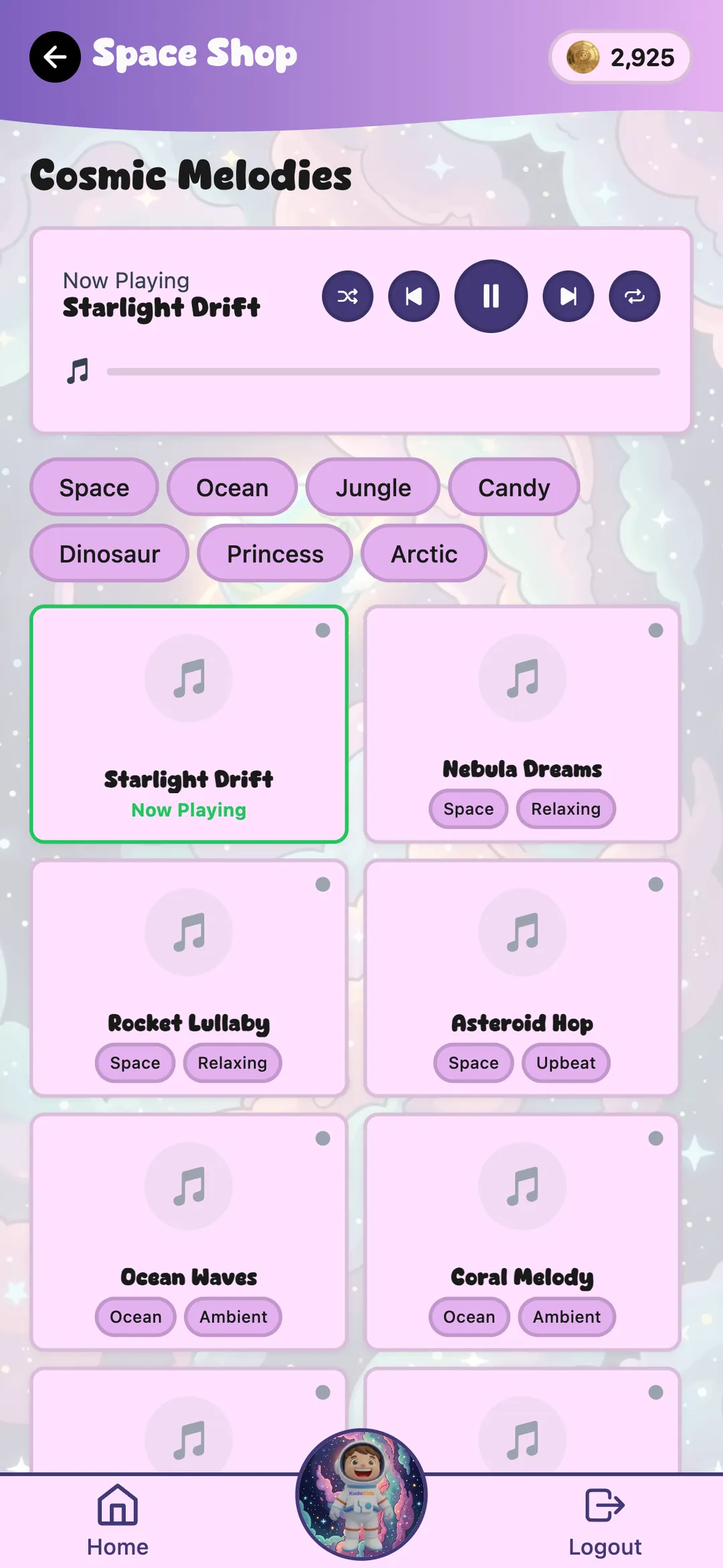
Wind-down doesn't require another app. KudoKids has a growing library of original stories narrated by your kid's companion, music tracks for car rides and quiet time, and sleep sounds that don't auto-play ads at 2 a.m.

Stories

Narrated by the kid's chosen companion. Their favorite voice tells every story.

Music

60+ original kid-safe tracks. No interruptions, no autoplaying ads.

Sleep sounds

Rain, ocean, white noise, soft music. Set a timer; the app respects it.

KudoKids sleep sounds and music library

Stories, music, and sleep sounds are all in the free tier. No algorithmic feed picks the next thing — the kid does.

KudoKids · parent brief 06 / 16
§ VI You hold every knob
07
Family Settings · per child, per feature

You decide what's on. Per kid.

Every feature is a switch you control. Defaults are sensible so you don't have to read a manual to start — the depth is there when one of your kids needs something different than the others.

On by default — tune to taste
  • Routines, tasks, parent approval workflow
  • Affirmations & meditation (focus areas per child)
  • Mood check-ins with bridge-to-parent
  • Kudo Coin economy & save-for-bonus mechanic
  • Streak tracking with vacation mode
  • Sleep sounds, music, stories
Off until you turn them on
  • Demerit system — Coin removal for missed tasks. Off by default because penalty mechanics need a careful hand.
  • Friend connections — both parents must approve every friend.
  • Web browsing — parent-curated allowlist.
  • Activity windows — e.g. games unlock only after morning routine is done, or only during a window you pick.

Gentle by default. Nothing scary or punitive is on out of the box. Every category can be paused; "data collection paused" turns off non-essential tracking entirely.

KudoKids · parent brief 07 / 16
§ VII Privacy, what leaves the device, what doesn't
08
Safety & privacy

No ads. No data sold. COPPA-compliant.

  • No advertising. None. No banners, no video pre-rolls, no "watch this to earn coins" deals.
  • No third-party trackers. No Meta pixel, no TikTok pixel, no behavioral ad networks on the kid side, ever.
  • No microtransactions. Premium is one flat $5.99/month. Kids never see pricing. There's no "buy more coins" button.
  • Verifiable parental consent at signup; you re-consent if our policy changes.
  • Export & delete — pull a JSON of everything we have on your kid, or delete the whole profile permanently. 30-day response window.
  • Data retention caps are published in the privacy policy (30 days → 3 years by category).
What leaves the device
Service What it sees
Supabase Your family's data — encrypted at rest, on US servers
Stripe Your email and card — never anything about your kid
Apple / Google AR Camera frames stay on-device. Never transmitted.
Voice / TTS Generated on our build machines and bundled into the app — your kid's voice never leaves the device

No third-party SDK ever sees your child's name, age, or content.

KudoKids · parent brief 08 / 16
§ VIII The design choice nobody else makes
09
The design choice we're proudest of

The win-state is the device down.

Most kids' apps measure success in minutes-of-engagement. We measure it in coins-earned-and-spent-on-a-real-world-reward. Kudo Coins are finite. Games cost coins to play. Time windows can lock features. We want your kid to earn, spend, and put the device down.

01 · Coins are finite

Kids earn them. They run out. There is no "buy more" button — not for kids, not for parents. When they spend them on a story or a game, they're gone.

02 · No infinite scroll

No feed. No algorithm. No "up next" autoplay. Every choice is a tap your kid made on purpose — not a tap the app tricked out of them.

03 · Real rewards beat virtual ones

The biggest rewards in the system are the ones you set — an ice cream, a movie night, a trip to the park. Virtual cosmetics are extras, not the goal.

We don't use the words "addiction" or "screen time limits" because they describe symptoms, not causes. We designed the economy so the symptom doesn't show up in the first place.

KudoKids · parent brief 09 / 16
§ IX One product, three modes
10
Age adaptation

Three modes. One product. The same kid as they grow.

The interface changes shape based on your child's age. You can override the group anytime — if a kid is ahead, behind, or just different from the default.

Preschooler · 3–5 Child · 6–8 Preteen · 9–12
iTouch targets Extra-large Big Standard
iiReading mode Icons-only · voice narration on Mixed icons + text Text-heavy
iiiSaving incentive "Save 2 days → +10 Coins" "Save a few days → bonus" "Save a week → +50%"
ivScore display Stars Numbers Full analytics
vCompanion size primary navigator

Preschoolers navigate by companion image — they tap the buddy, not the words. The same kid will see a richer UI when they're 10 without ever needing a new app.

KudoKids · parent brief 10 / 16
§ X When the child lives in two homes
11
Co-parented families

One profile that travels between two homes.

When two parents share custody, your kid's profile, companion, Kudo Coin balance, and progress travel with them. Each home defines its own routines. You don't have to see each other's home — visibility is a switch each parent flips.

What travels

Companion · Coin balance · unlocks · mood-check-in history · wellness preferences.

What stays per-home

Routines (each parent defines their own) · approval queue · optional rewards · calendar.

Privacy default

Parents do not see each other's home unless both explicitly opt in. Calendars and routines stay private until granted.

KudoKids · parent brief 11 / 16
§ XI What it costs · what's free
12
Pricing

The part that matters most is free.

The whole wellness loop — routines, mood check-ins, affirmations, meditation, stories, music, sleep sounds — is in the free tier. We did that on purpose. A family that can't afford $5.99/month shouldn't lose access to the part of the product where the wellbeing tools live.

Premium adds 19 additional companions plus customization — skins, animations, auras. Kids unlock items by spending earned Kudo Coins; you never see microtransactions; kids never see pricing.

Premium
$5.99/mo

Or skip it. The free tier is permanent, not a trial.

  • 19 additional companions to earn
  • Companion customization & auras
  • Parent-gated · kids never see pricing
  • Cancel anytime
KudoKids · parent brief 12 / 16
§ XII The team and the input
13
Who built this

A small team. Real outside input.

KudoKids is built by a small team of parents and engineers in the US. We're working with over a dozen child and family therapists who review the language, the flows, and the defaults — and tell us when we got something wrong.

Why we built it

Because no one app held everything our own kids needed — routines, stories, music, mood check-ins — without selling their attention to someone else.

Who reviews it

Over a dozen child and family therapists give us structured feedback on wellness language, mood check-in copy, and family-system defaults. We rewrite based on what they say.

What it is not

We don't claim clinical outcomes. We're not a therapy app. KudoKids is a daily-use tool — the kind a kid uses every day at home, not the kind a clinician prescribes.

Honest scope: we're a pre-launch product with no published efficacy studies. The therapist input is on language and design — not measured outcomes.

KudoKids · parent brief 13 / 16
§ XIII Honest scope · what we don't claim
14
What KudoKids is not

What we don't claim.

We'd rather be clear about the edges of the product than oversell it. Some apps in this category claim more than they can deliver. We'd rather you know up front.

  • Not a therapist. The companion is not a counselor. If your kid needs clinical support, the bridge-to-parent step is designed to put that decision in your hands.
  • Not a diagnosis tool. We don't claim anything about ADHD, autism, anxiety, or any condition. KudoKids is a daily-use family app, not a clinical instrument.
  • Not a tutor. The reading and learning content is supportive, not curriculum.
  • Not a "screen-time limiter" disguised as a kids' app. We'd rather design an economy your kid runs out of than police a timer.
  • Not a social network. Friends require both parents' approval; there are no public feeds; nothing your kid posts is shown to a stranger.
  • Not done. We ship updates every week. Things will change. We'll tell you when they do.
KudoKids · parent brief 14 / 16
§ XIV Five minutes from here
15
How to start

Five minutes. No card required.

i · sign up

One adult email.

You sign up. You're the parent account. Add your kids — each one gets their own profile, companion, and Coin balance. No card needed for the free tier.

Start free
ii · set up

Three routines & a reward.

Pick three things — morning routine, homework, bedtime — and one real-world reward worth a chunk of Kudo Coins. That's enough for the first week.

iii · hand over

Pass the device.

Your kid picks Cosmo as their starting companion, taps through the first routine, earns their first Coins. You get an approval ping when they're done.

If you don't love it in 30 days, delete the profile — your kid's data goes with it. Promise.

KudoKids · parent brief 15 / 16
KudoKids End of brief · thank you
xvi

Hand it over
when you're ready.

The free tier is permanent, not a trial. Premium is $5.99/month and gated behind your password. If KudoKids doesn't earn its place on the device, delete it. Nothing else hangs on it.

KudoKids — for ages 3–12

support@kudokids.org  ·  kudokids.org

Ages 3–12 Download on the App Store Get it on Google Play

Working with over a dozen child and family therapists.

Lyla, an arctic companion
Lyla · arctic