SOCIAL SKILLS
Their First Friendships — With You Holding the Rails
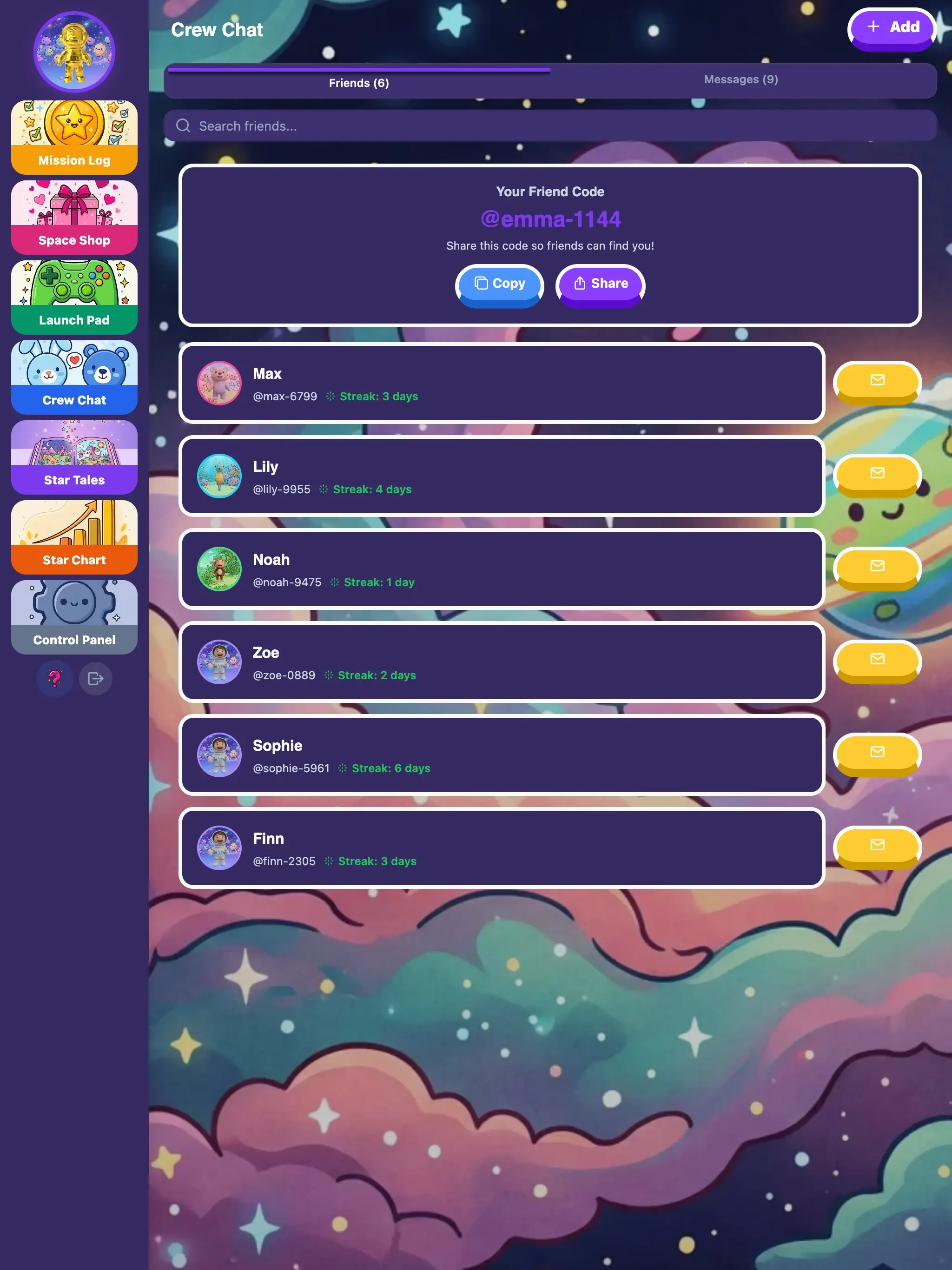
A parent on each side approves every cross-family friend. Phone numbers and emails are blocked in messages. You can see every conversation your child is part of.
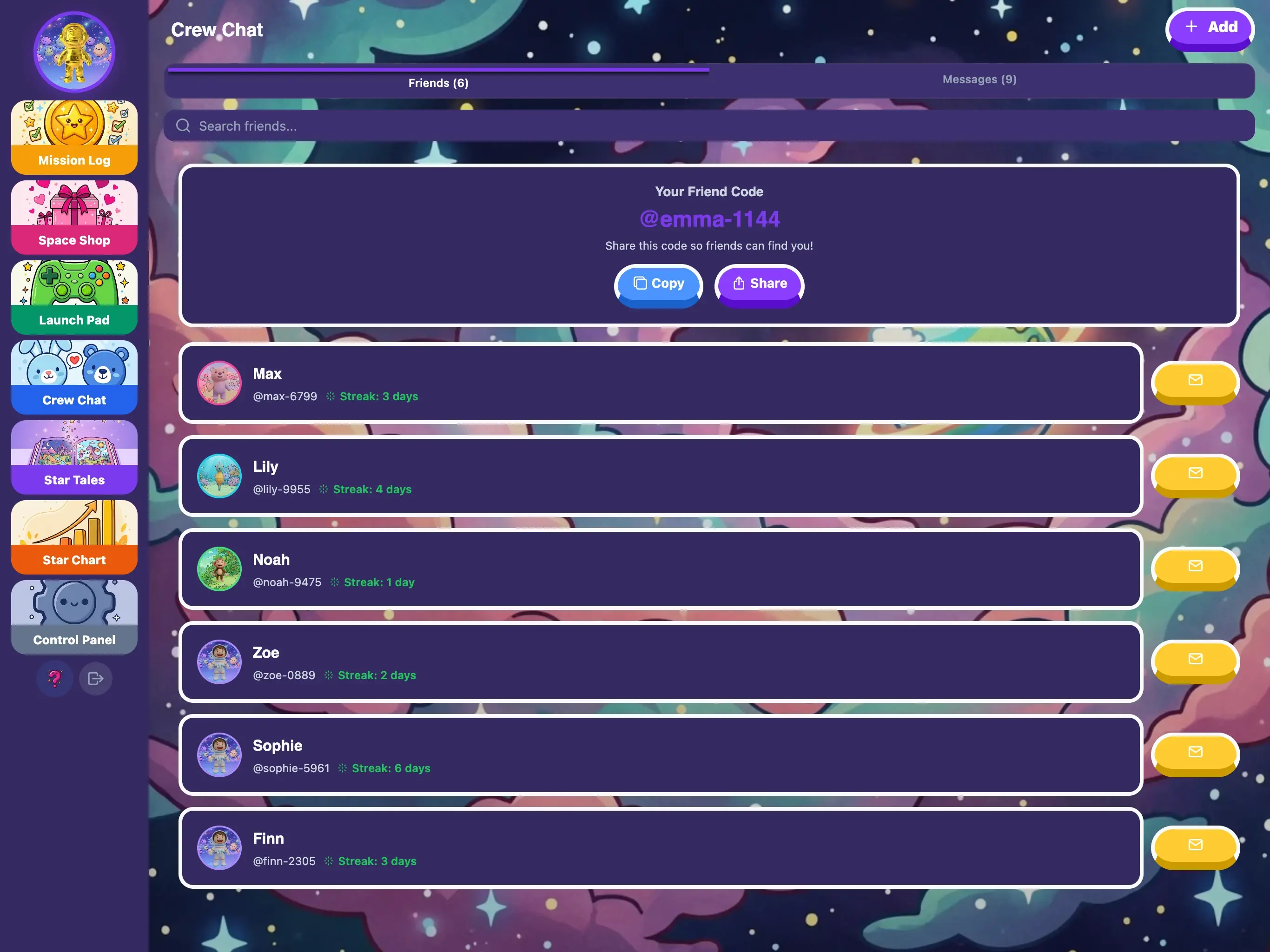
A parent on each side approves every cross-family friend. Phone numbers and emails are blocked in messages. You can see every conversation your child is part of.
Mia is 10. Grace is her best friend from school. Both use KudoKids. Mia’s dad approved the friend request after checking Grace’s profile — took 30 seconds.
Mia is on a 19-day streak. Grace is on a 22-day streak. They message each other about it constantly: “Don’t you dare break yours.” “I almost forgot to brush my teeth last night but I DID IT.”
Day 24 for Grace. She’s sick. She throws up twice and spends the day on the couch. She doesn’t open KudoKids. Her streak resets to zero. She messages Mia: “I’m so mad. 24 days gone.”
Mia writes back: “That stinks. But you still have your 14-day badge. And I bet you can get to 30 this time.”
Mia hits day 27. She’s making her bed without being asked — not because of the 5 coins, but because breaking the streak feels worse than making the bed. She earns the 30-day Monthly Master badge on a Tuesday and sends Grace a screenshot.
Grace is back on day 8, rebuilding. She tells Mia: “Race you to 30.”
The specific safety gates and the parent tools that go with them — no vague promises.
Children find friends by exact-match nickname only — no browsing, no suggestions, no strangers in a feed. Cross-family requests require approval from a parent on each side before the friendship is created. You can remove any friend at any time.
Messages containing phone numbers or email addresses are blocked before they send — the recipient never sees them. Profanity is filtered, links can be blocked, and every message is rate-limited to 60 per 5 minutes per child.
A dedicated parent view shows every thread your child is part of. Flagged messages surface with severity indicators. Edits and soft-deletes preserve the original content so you see what was actually sent, not just the latest version. Conversations are exportable for your records.
Game leaderboards let children compare scores across global, friends, family, and sibling scopes. They are on by default — you can disable them per child in Friends Control if competition is not right for your kid.
Children pick a unique nickname (3-20 characters, no real names required) and find friends by typing that exact nickname — there is no browsing, no friend suggestions, no public directory. For requests between kids in different families, a parent on each side must approve before the connection is created. Siblings in the same family auto-connect. You can remove any friend at any time, and friend requests are rate-limited to 10 per 10-minute window per child.
Messages run through server-side checks before they are delivered. Phone numbers and email addresses are blocked outright — the recipient never sees them, and the sender is told the message can’t be sent. Profanity is filtered in one of three modes you choose per child (block, warn, or off). Links can be blocked entirely. Edits keep the original content in an audit log so deletions and rewrites are visible to you.
No automated filter catches everything. KudoKids gives parents the visibility and controls to spot and respond to anything the filters miss — including removing a friend and revoking messaging access at any time.
The parent dashboard includes a per-child conversation viewer where you can read any thread, see edit history, and see soft-deleted messages with their original content. Flagged messages are listed family-wide in a single audit panel with severity indicators so you know what to look at first. Conversations can be exported for your records. Parents can also disable messaging entirely for the whole family or for one child without affecting the friends feature.
Game scores are ranked across four scopes — global, friends, family, and siblings — so children can see how they did against just their siblings, just their approved friends, or the wider player base. Scores are age-normalized so a 5-year-old and a 10-year-old aren’t competing on the same raw number. Leaderboards are enabled by default. If your child does better without competition, switch them off per child in Settings → Friends Control.
Shaped by working with child-development experts.
Safe social features keep your child connected and growing — with you in full control.
No credit card required. Set up in five minutes.