Screen Time Stops Being the Argument
Your kids are getting the tablet either way. In KudoKids they earn it: chores you set for each kid, Kudo Coins for finishing, then screen time priced by the minute at your rate. We never show ads in the app or sell child data. Ages 3–12.
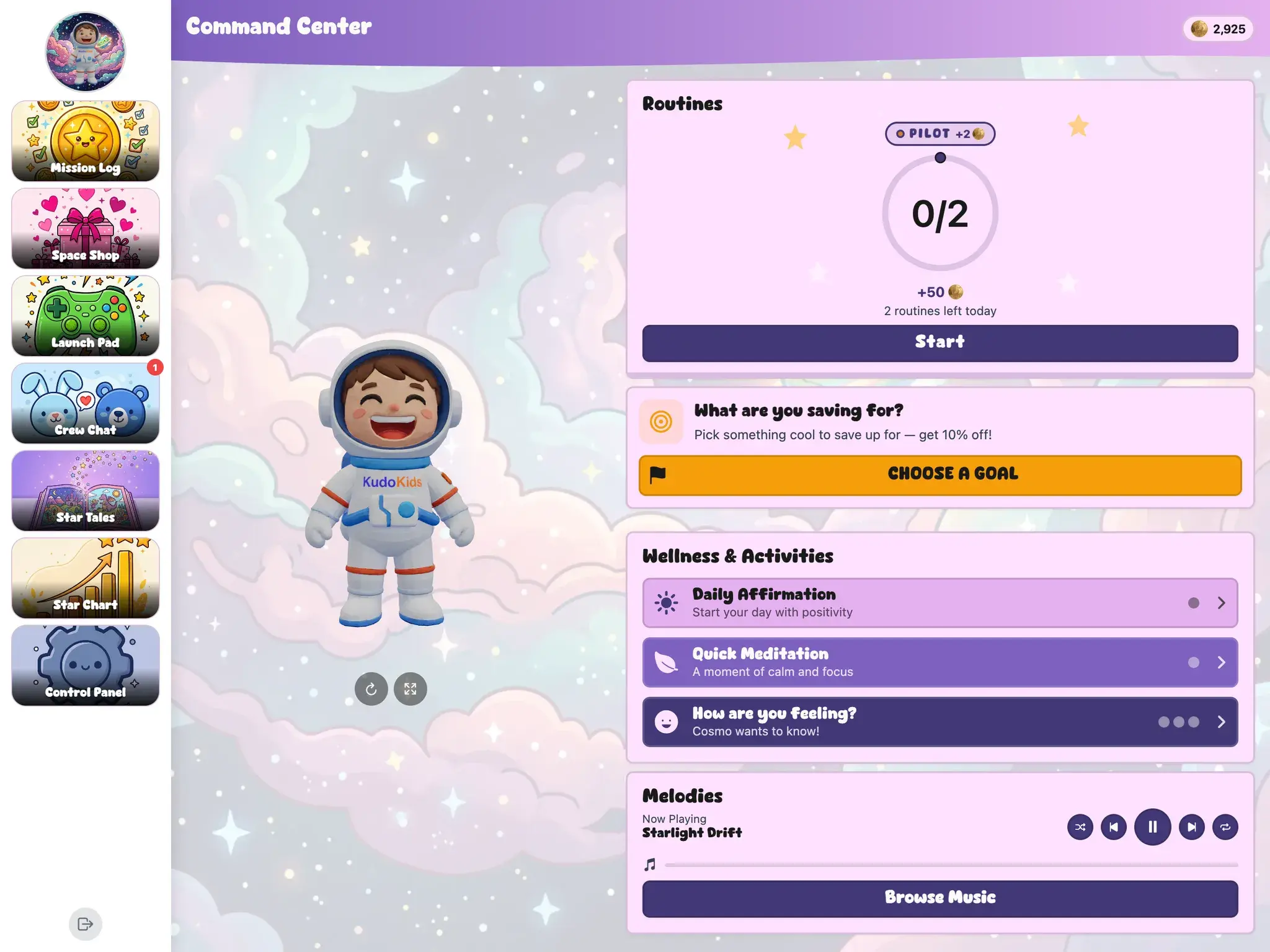
*ads can be shown via the YouTube and web browser features if a parent turns them on.
Three Steps to Screen Time Kids Earn
Set Each Kid's Chores
Sign up free, add your kids, and give each one their own routines, chores, and rewards.
Price the Rewards
Decide what a minute of TV, tablet, or gaming time costs, which games are available, and which real-world rewards they can buy.
They Earn, Then They Spend
Kids finish what's on their list, the coins land, and they spend them on what you priced — so the screen was earned before the asking starts.
How the Earning Works
Screen Time With a Price Tag
Kids spend the coins they earned on TV, tablet, or gaming time — priced by the minute, at rates you control. The answer to “can I have the iPad” becomes a number you both already agreed on.
Set Per Kid, Not Per Family
Chores, earning rates, and what the coins buy are set child by child, so the nine-year-old and the six-year-old can run on the same system without running on the same list.
Games That Earn Their Keep
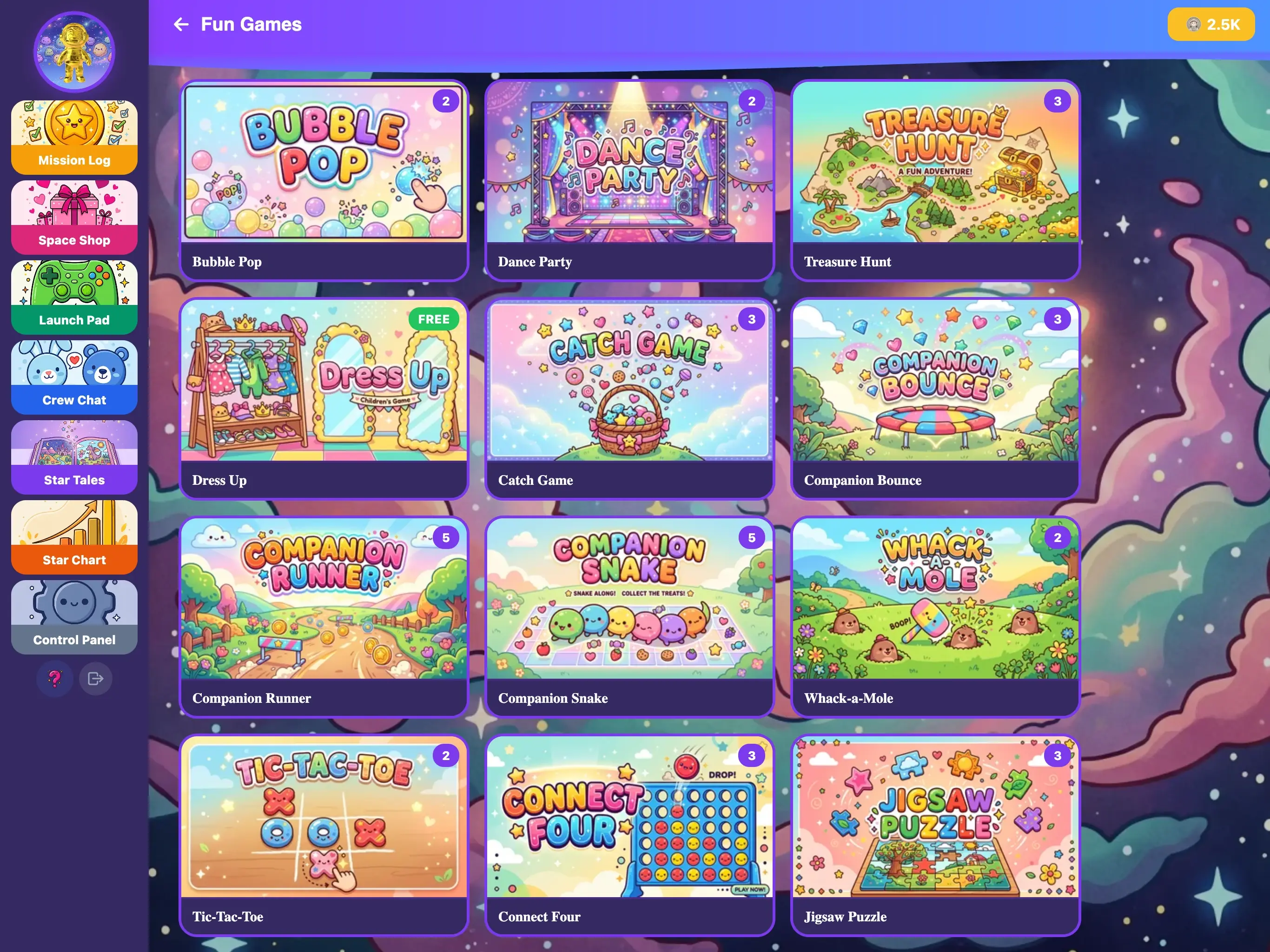
Educational games across math, reading, science, logic, geography, and coding earn 1-5 Kudo Coins a session — so the time in the app feeds the same economy the chores do.
Wellness Built In
Guided meditation and daily affirmations help kids name and handle feelings alongside school skills. Wellness features are for general enrichment and are not a substitute for professional care.
What the Earned Time Is Spent On
The games they play with their coins are real school subjects, built to leave something behind when the session ends.
- Letters and phonics
- Math and arithmetic
- Science and nature
- Reading and vocabulary
- Logic and critical thinking
- Geography and world knowledge
- Coding fundamentals
- Pattern recognition
- Naming and handling feelings
You Control the Rates
Give each kid their own routines, chores, and rewards, choose which games are available, and set what a minute of screen time costs for the family. Set daily limits for time in the app and keep visibility on all of it from a single dashboard.
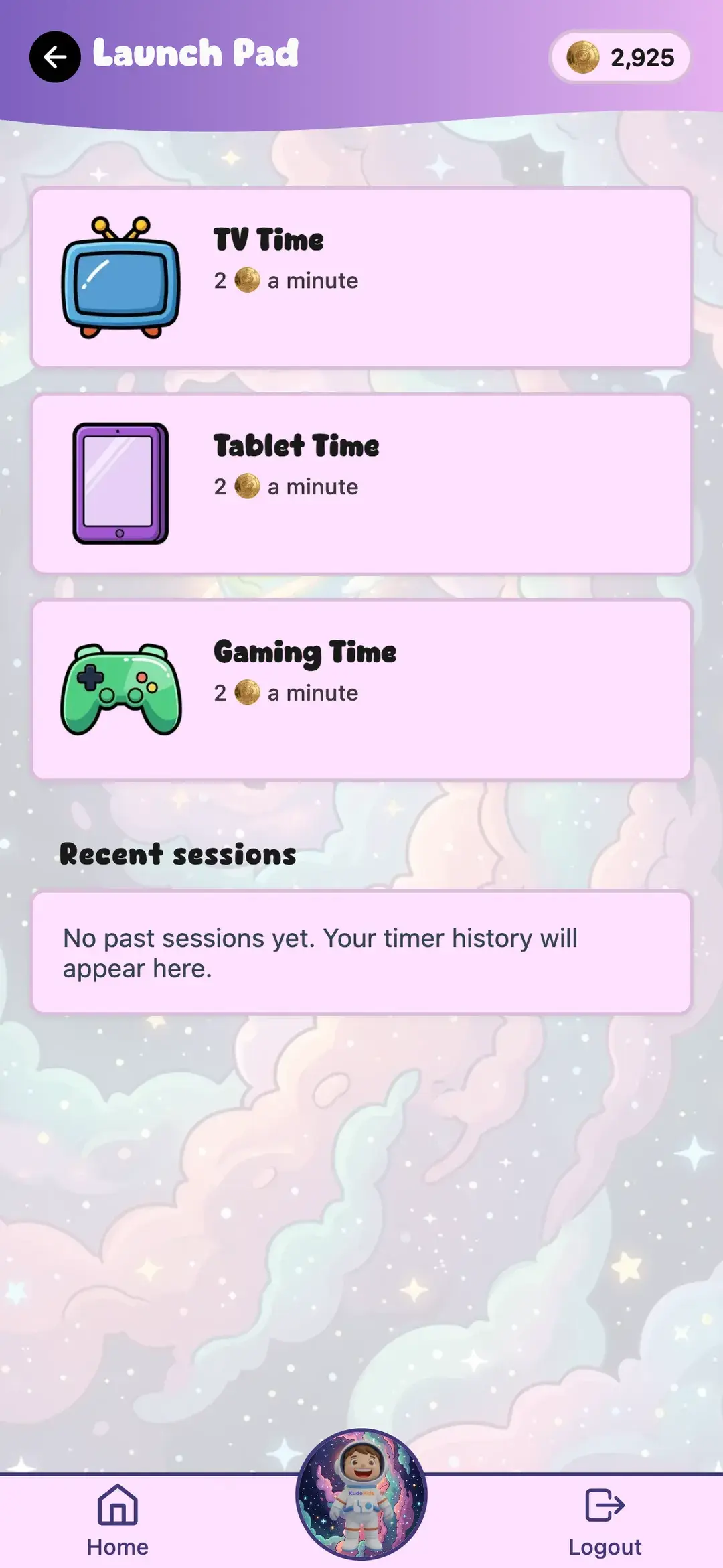
TV and Gaming Time Get a Price Too
Kids spend their Kudo Coins on TV, tablet, or gaming time — priced by the minute, at rates you control. The asking turns into buying, and the answer was settled before the afternoon started.
To be clear about what this is: KudoKids prices that time and runs a countdown on your kid's screen. It is a household agreement, not device software — it does not lock the phone, other apps, or the open internet.
Common Questions About Screen Time
Do I have to set a screen-time limit myself?
No — it's already set. Every child starts with a one-hour daily cap on the fun side of KudoKids, every day of the week, whatever their age. You can change it or turn it off, but you don't have to do anything for it to work. And when the hour runs out, their routines, quiet moments, stories and learning games are all still there — it's the play that stops, not the growing.
Does KudoKids block other apps or my child's phone?
No. KudoKids covers the time inside KudoKids. The device time your child buys with coins is an agreement between the two of you — the app prices it and runs a countdown on your kid's screen, but it does not lock the device, other apps, or the open internet.
Will my kids get stuck staring at it all day?
KudoKids is a companion that slows kids down in a one-tap world. Screen time is something they earn by finishing real-world tasks first, and their companion guides them through it. Parents set session limits inside the app and control which games are available. We never show ads in the app, and there's no autoplay and no dark patterns.
My kids are different ages. Do they have to share one list?
No, and that is usually the reason the last system broke. Chores, earning rates, and reward prices are set per child, and the content shifts by age tier (3-4, 5-8, 9-12), so the older one is not doing a list they think is babyish while the younger one falls behind on it.
What subjects do the games actually cover?
Letters and phonics, math and arithmetic, reading and vocabulary, science and nature, logic and critical thinking, geography, coding fundamentals, pattern recognition, and naming and handling feelings — with the challenge level shifting by age tier.
Can I control which games are available?
Yes. The Parent Dashboard lets you enable or disable individual games, set daily limits for time in the app, adjust Kudo Coin earning rates, and see your child's activity in real time.
How is this different from YouTube Kids or other apps?
Most kid apps are built to hold attention — the longer kids stare, the better. KudoKids is built the other way around. Everything else is instant; we make it earned: kids finish the chores and routines you set, earn Kudo Coins for doing it, and spend those coins on games, rewards, and screen time you control. One place where the time is earned, where a dozen others just fill it.
Is there a free plan?
Yes. The free Explorer plan covers up to 10 children — unlimited routines, tasks, rewards, every game, plus the Space world and Cosmo. Premium unlocks the other themed worlds, companions, backgrounds, and companion looks and extras kids earn through their routines.


Make the Screen Something They Earned
Chores set per kid, coins earned for finishing, screen time priced at your rate. Free to start, no credit card.